Step 1: Download the Mods
Click the button below to download the zip file containing all the extra mods we use.
Download extra-mods.zipYou'll need to extract this zip file so you have the 5 .jar files ready.
Step 2: Open your Modpack Folder
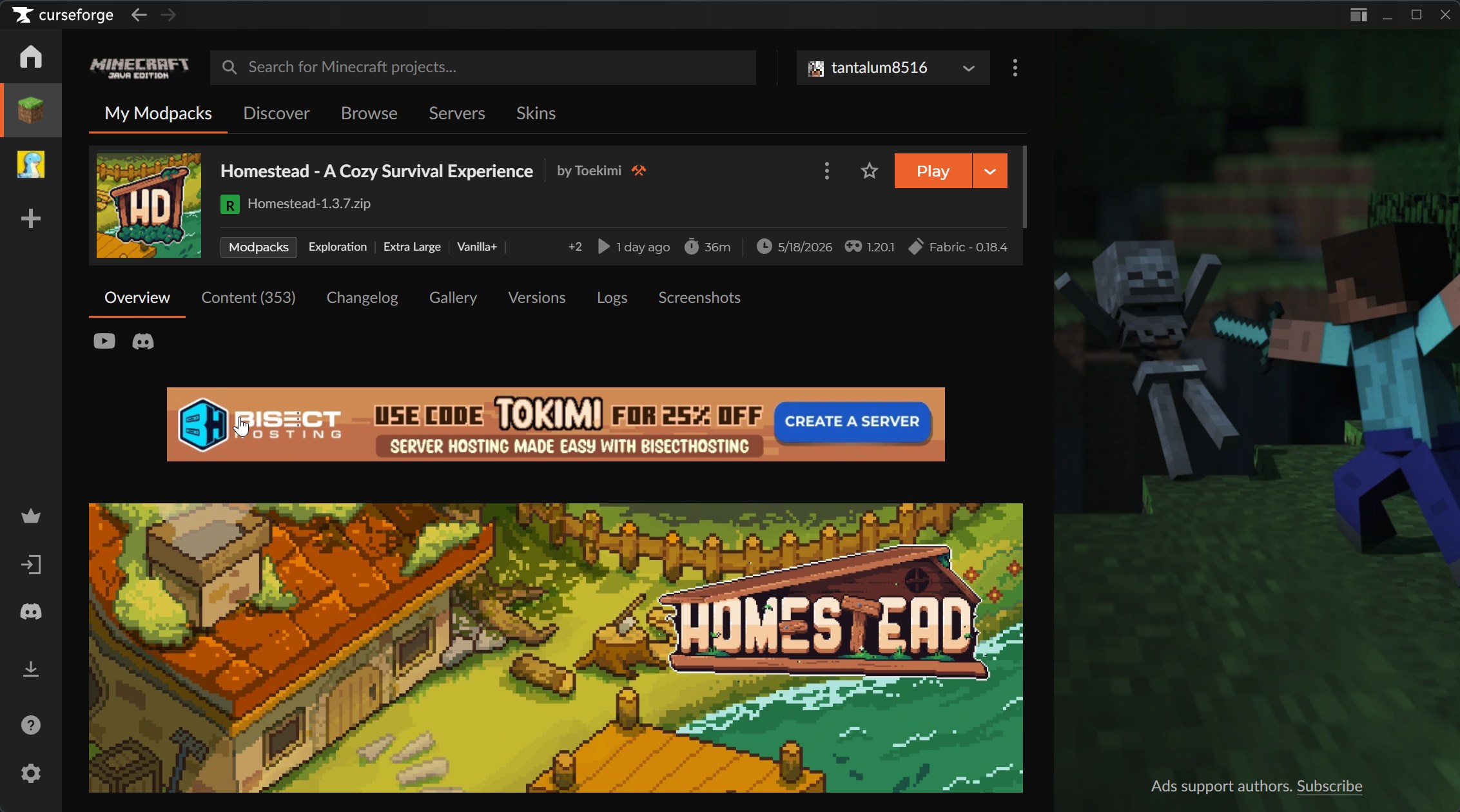
1. Open CurseForge
Find the Homestead - A Cozy Survival Experience modpack in your CurseForge library. Click on it to open its profile.
2. Open the Options Menu
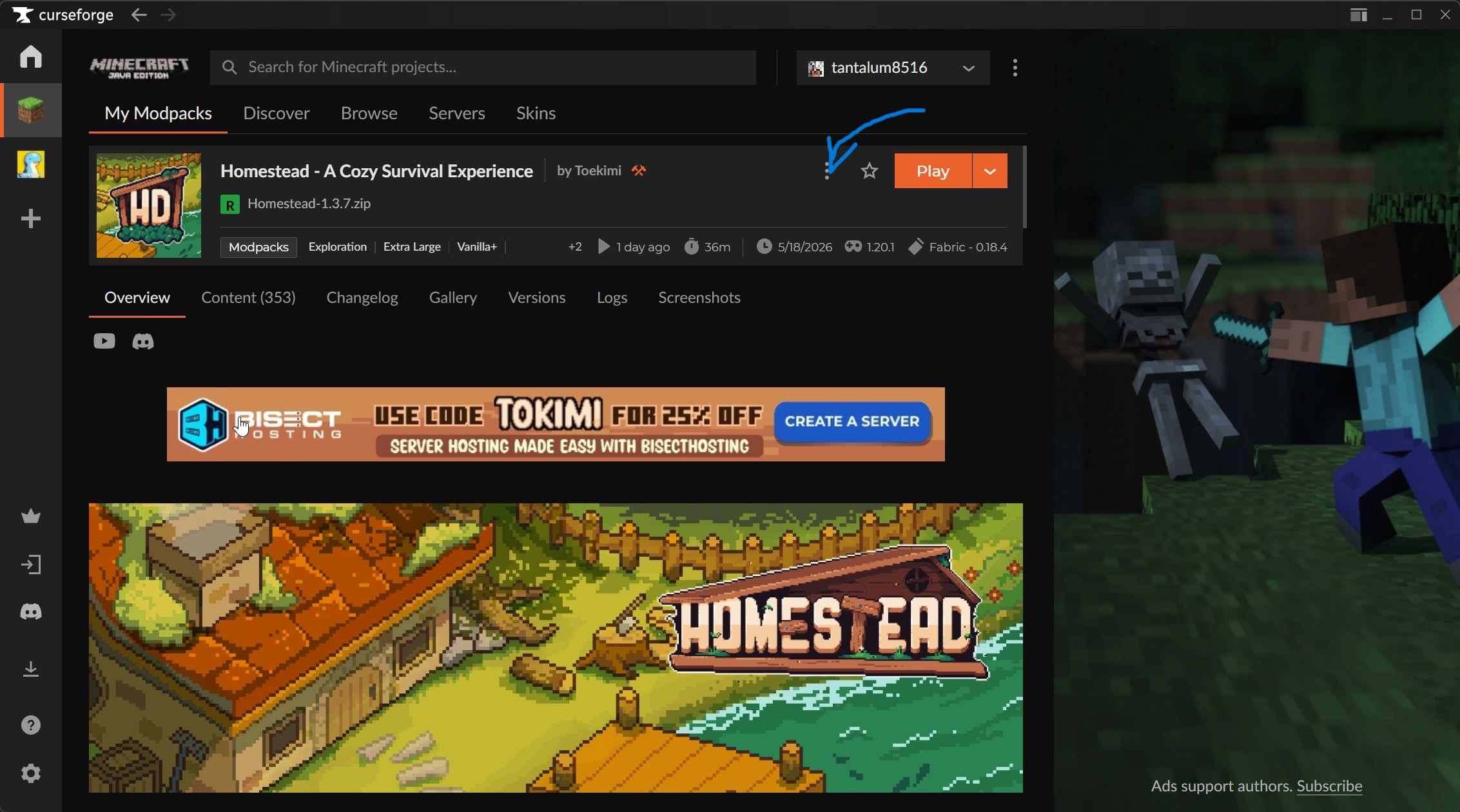
Right next to the big orange Play button, click the three vertical dots to open the options menu.
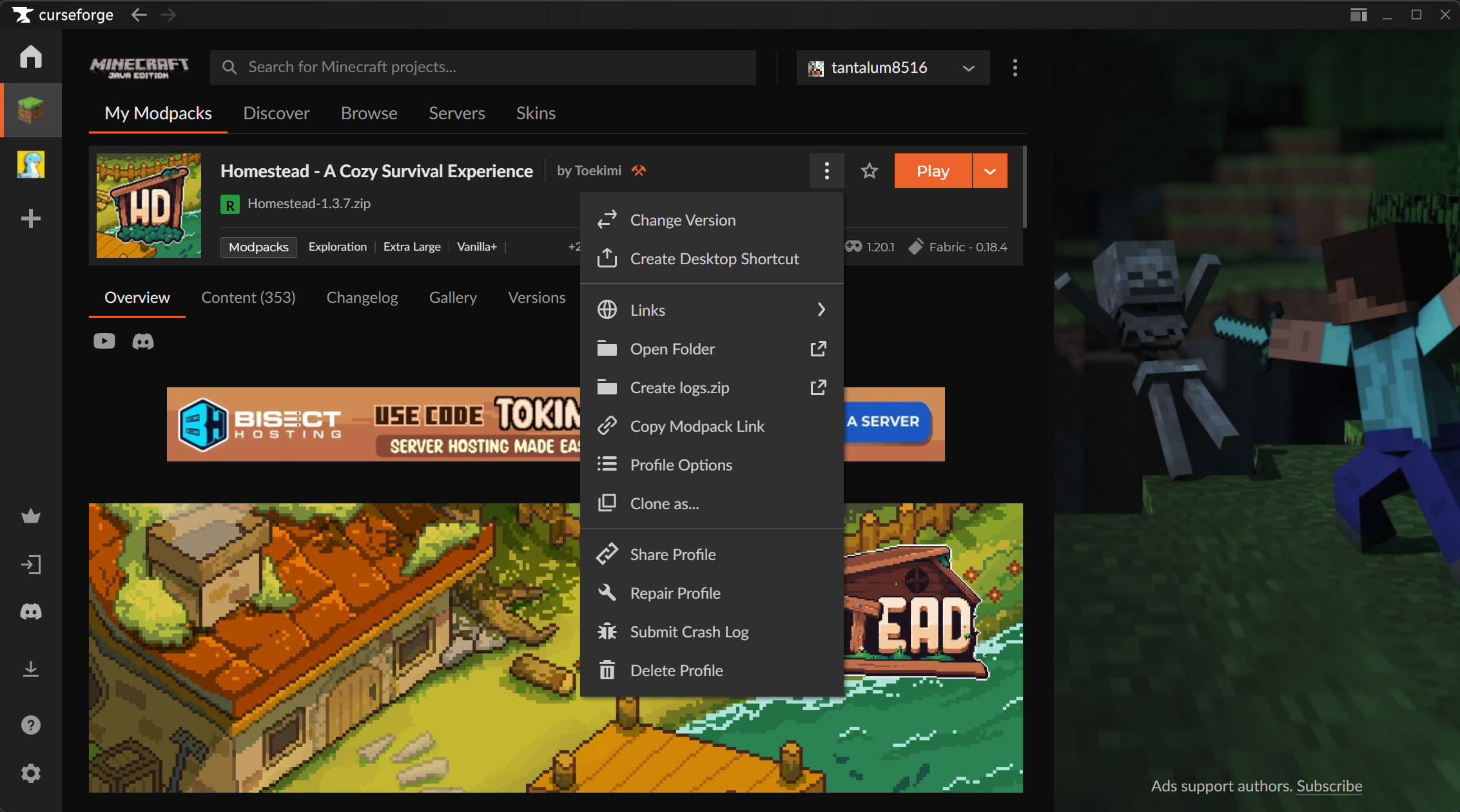
3. Open Folder
From the dropdown menu, select Open Folder. This will open the folder containing all your modpack files.
Step 3: Install the Mods
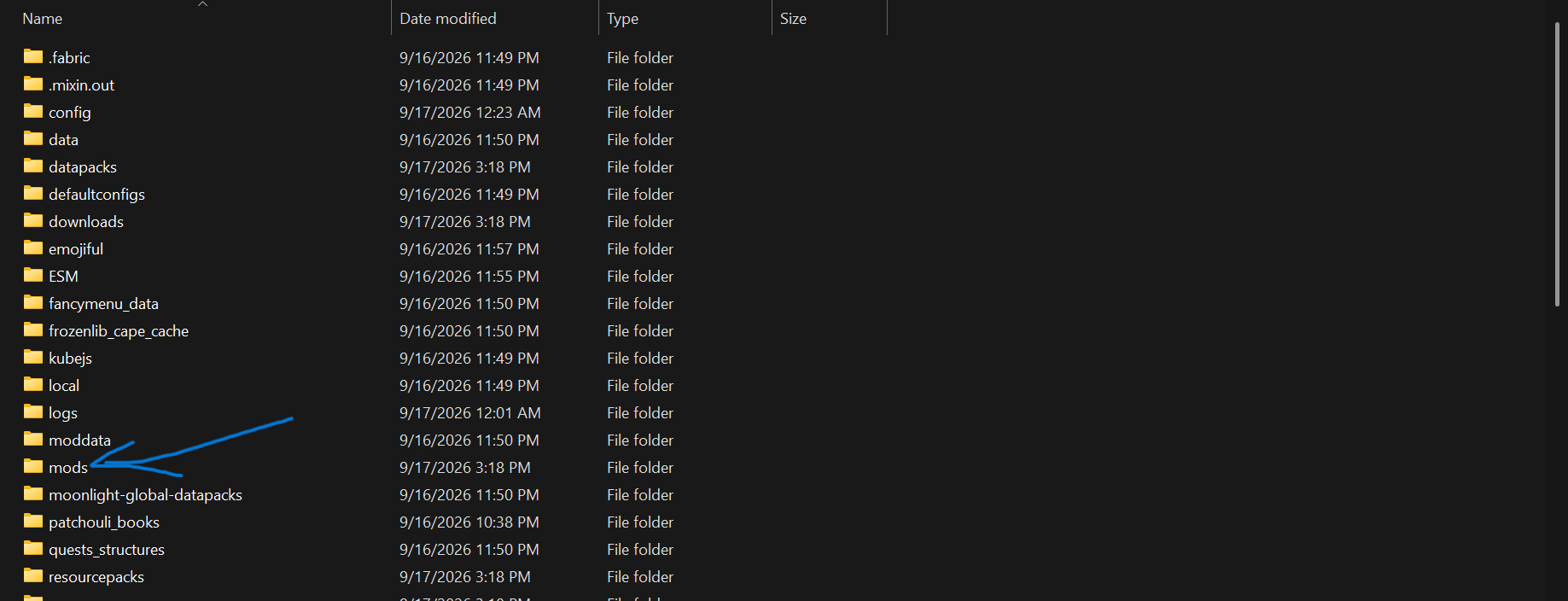
4. Find the 'mods' folder
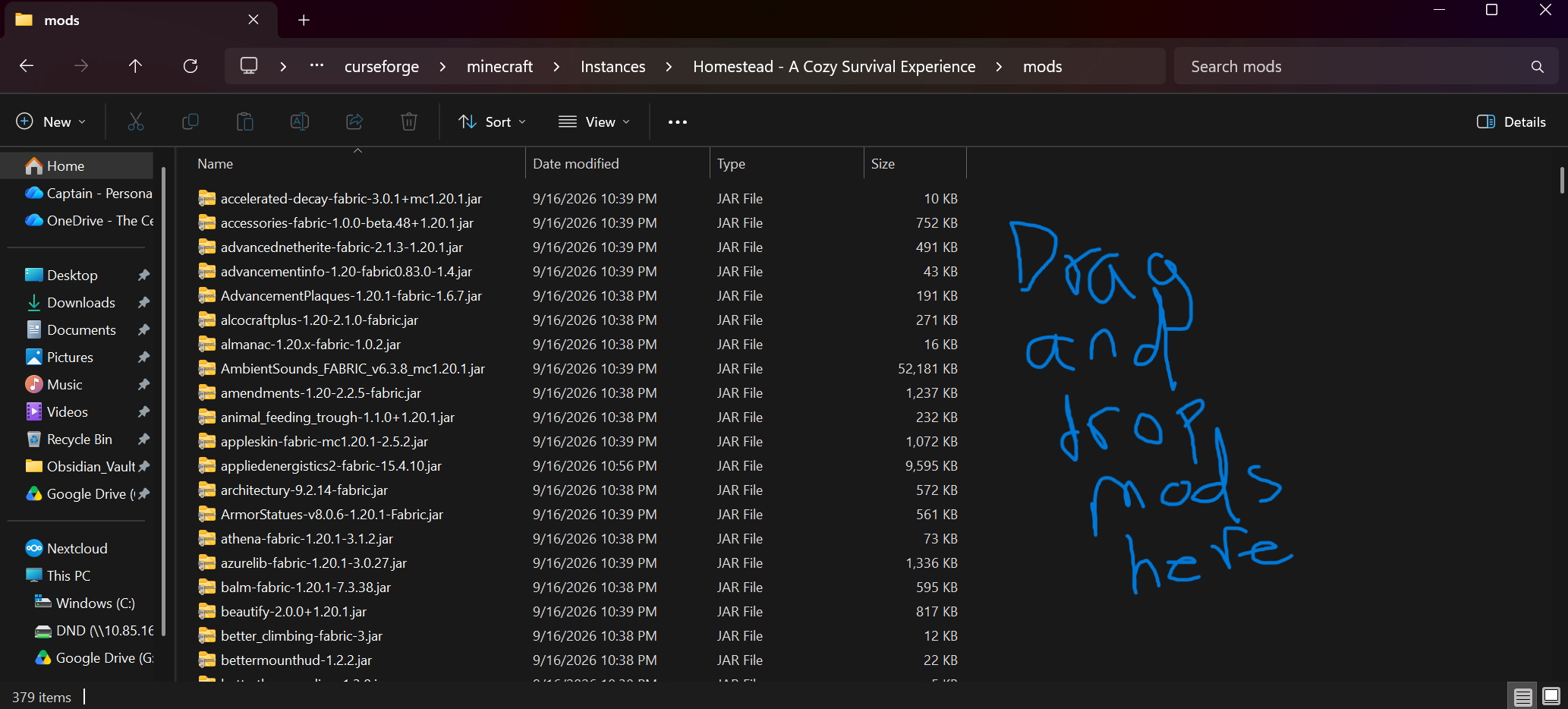
In the folder that just opened, look for a folder named mods and double-click to open it.
5. Drag and Drop
Finally, drag and drop the `.jar` files you extracted in Step 1 straight into this mods folder. That's it! You can now launch the game.
Step 4: Join the Server!
Launch the game and head to Multiplayer. You can find the server connection address pinned in our Discord server!
Open Discord App